
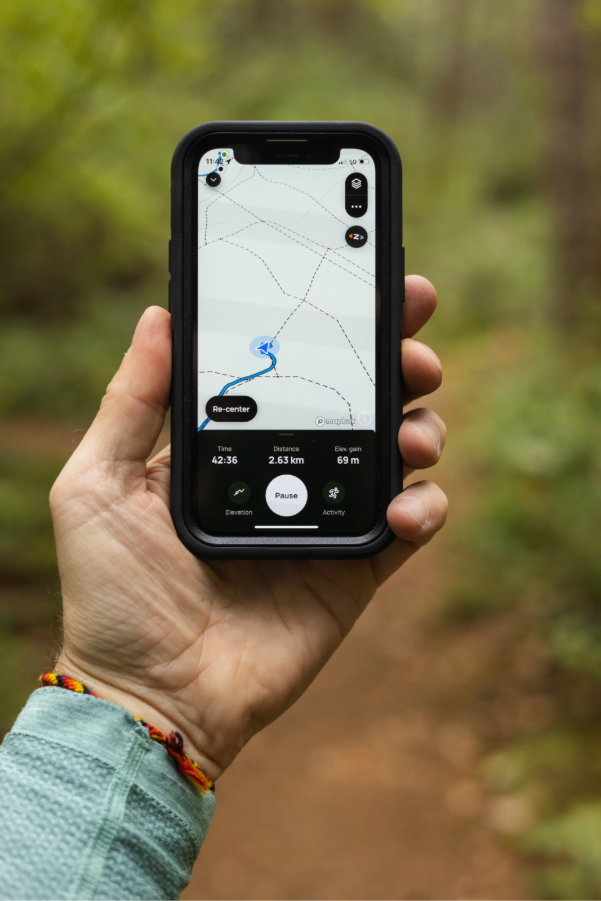
Uber drivers can keep an accurate mileage log by recording business-related miles consistently, separating driving activity by purpose, and using an automated tracking method instead of relying on memory. A mileage tracking app for Uber can capture trips as they happen and organize mileage data into usable records. Mileage Tracker helps drivers maintain clearer mileage records while reducing the gaps that can occur with manual tracking.
Why Accurate Mileage Records Matter for Uber Drivers
Driving for Uber can involve far more mileage than the distance shown on a completed passenger trip. A driver may travel to a pickup location, move between different areas while waiting for requests, or drive to a suitable location after completing a ride. Recording only the miles shown inside the Uber platform can therefore leave out parts of the driver’s business travel.
A reliable mileage log gives drivers a clearer picture of how much they actually drive for work. It can also make recordkeeping easier when reviewing vehicle expenses and preparing information for tax reporting. The exact mileage that qualifies as business use depends on the driver’s circumstances and applicable tax rules, so records should clearly show how each trip was connected to driving activity.
Accuracy starts with consistency. A mileage log created only from memory is more likely to contain missing trips, incorrect distances, or unclear dates. Recording mileage as the driving occurs creates a stronger record because the information is captured close to the actual trip.
Know Which Driving Miles to Record
Uber drivers often have several types of driving activity during a single work session. Treating every mile as identical can make the final mileage record difficult to review.
A useful log should distinguish the purpose of the trip and retain enough information to explain why the miles were driven. Common categories can include:
- Driving to an assigned passenger pickup
- Traveling during an active passenger trip
- Moving between locations while available for ride requests
- Driving to a location to begin or continue Uber-related work
- Personal driving that should remain separate from business records
The exact treatment of different miles can depend on tax rules and the driver’s situation. The practical goal is to maintain records that show the business purpose of recorded travel instead of simply creating one large mileage number.
Keeping personal driving separate is also useful. If a driver combines errands, personal trips, and rideshare activity in one mileage total, it becomes harder to determine which miles relate to driving work.
Why Manual Mileage Logs Can Become Incomplete
A paper notebook or spreadsheet can work, but manual tracking requires the driver to remember every trip and enter the information correctly. That becomes difficult during a busy driving session.
Consider a driver who completes several rides, waits for requests, changes areas, and takes a personal break. Reconstructing the exact sequence later can leave uncertainty about starting and ending locations or the purpose of individual trips.
A rideshare mileage log should provide more than a final mileage figure. Useful records can include the date, distance, trip details, and relevant notes that help explain the business use of the vehicle.
Manual records can still be valuable when used consistently. The weakness is not the format itself. The bigger issue is delayed or incomplete entry.
Use Automatic Tracking to Capture Miles Consistently
Automatic mileage tracking can reduce the amount of work required from drivers. Instead of stopping to record each trip, an app can use location and movement data to identify driving activity.
A mileage tracking app can make it easier to maintain a running record while driving for Uber. The driver can then review trips and classify them based on business or personal use.
A practical tracking setup should make it easy to:
- Start tracking before beginning rideshare activity.
- Review recorded trips after driving.
- Mark business and personal travel correctly.
- Add notes when a trip needs additional context.
- Keep mileage records organized for later review.
Automatic tracking does not remove the need for review. GPS data can occasionally record an unusual route, combine activity incorrectly, or capture movement that needs to be classified. Reviewing records regularly helps catch these issues while the details are still familiar.
Keep Uber Driving Records Organized
Mileage data becomes more useful when it is organized in a consistent format. Drivers should avoid having some records stored in an app, others in text messages, and additional information in scattered notes.
A clear record can include:
- Date and driving activity
- Starting and ending locations
- Recorded distance
- Business or personal classification
- Notes explaining unusual trips or corrections
The purpose of these details is not to create unnecessary paperwork. It is to make the mileage record understandable later. A driver should be able to look at a recorded trip and determine what happened without having to reconstruct the entire work session from memory.
Consistent organization also makes it easier to identify missing information. If a driving session appears to contain an unusual gap, the driver can review the surrounding records and add context while the trip is still easy to remember.
Review Your Mileage Log Instead of Trusting Every Entry
Automatic tracking is useful, but it should not be treated as completely hands-off recordkeeping. Drivers should periodically review their mileage history for accuracy.
Check for trips that appear unusually long, duplicate entries, missing drives, or personal trips that were classified incorrectly. Also look at days when driving activity changed significantly. A large difference from the usual pattern can be a reason to inspect the underlying trips.
Mileage Tracker can support this review process by giving drivers a central place to manage recorded driving information. Keeping records organized makes it easier to identify errors before they become part of a larger mileage report.
A review also helps maintain consistency across the entire record. For example, if personal errands are usually excluded but one personal trip was accidentally marked as business use, correcting it promptly keeps the mileage history cleaner.
Keep Your Mileage Records Separate From Uber Trip Data
Uber’s driver platform and a personal mileage record serve different purposes. Uber trip information can show completed rides and related activity, while a mileage tracker can document vehicle movement across the broader driving session.
Keeping both sources can be useful. Uber records can provide supporting information about rides, while the driver’s mileage log can provide a broader record of vehicle use.
The two records do not need to match mile for mile because they can represent different aspects of driving activity. The important part is understanding what each record represents and maintaining enough documentation to explain the mileage being reported.
Build a Record That Is Easy to Review Later
A good mileage log should still make sense months after a trip occurred. This means avoiding vague notes such as “Uber driving” for every entry when more specific information would clarify the activity.
For unusual trips, a short note can provide useful context. For example, a driver might record that a trip involved moving to a different service area or traveling to a designated pickup location. Specific notes are more useful than trying to reconstruct the reason for a trip much later.
Drivers should also retain their mileage records according to applicable tax and recordkeeping requirements. The required documentation can vary based on individual circumstances, so official tax guidance or professional advice should be used for tax-specific questions.
Make Mileage Tracking Part of Your Driving Routine
Accurate mileage tracking works best when it becomes part of the normal driving routine rather than a separate administrative task. Start tracking before rideshare activity, review the recorded trips afterward, and correct unusual entries while the details are still clear.
The same routine can help prevent small omissions from becoming larger recordkeeping problems. A few unrecorded trips may seem insignificant individually, but repeated gaps can make the overall mileage history less reliable.
The goal is simple: create a mileage record that reflects actual driving activity, clearly separates business and personal use, and remains understandable when you need to review it later.
Create a Mileage Log You Can Rely On
Uber drivers have many details to manage during a driving session, and mileage should not depend entirely on memory. A consistent tracking process can capture business-related travel, separate personal use, and preserve useful trip information in one organized record.
An automated tracking method can make that process easier, but accuracy still depends on regular review and proper classification. Drivers who build these habits into their routine can maintain cleaner Uber driving records and have a clearer history of their vehicle use.
Mileage Tracker provides a practical way to organize mileage information while you focus on driving. To begin building a more consistent mileage record, get started for free and make mileage tracking part of your regular rideshare routine.
